
Support
How to make a payment
Step 1

Click "Pay Online" on the top right corner.
Step 2
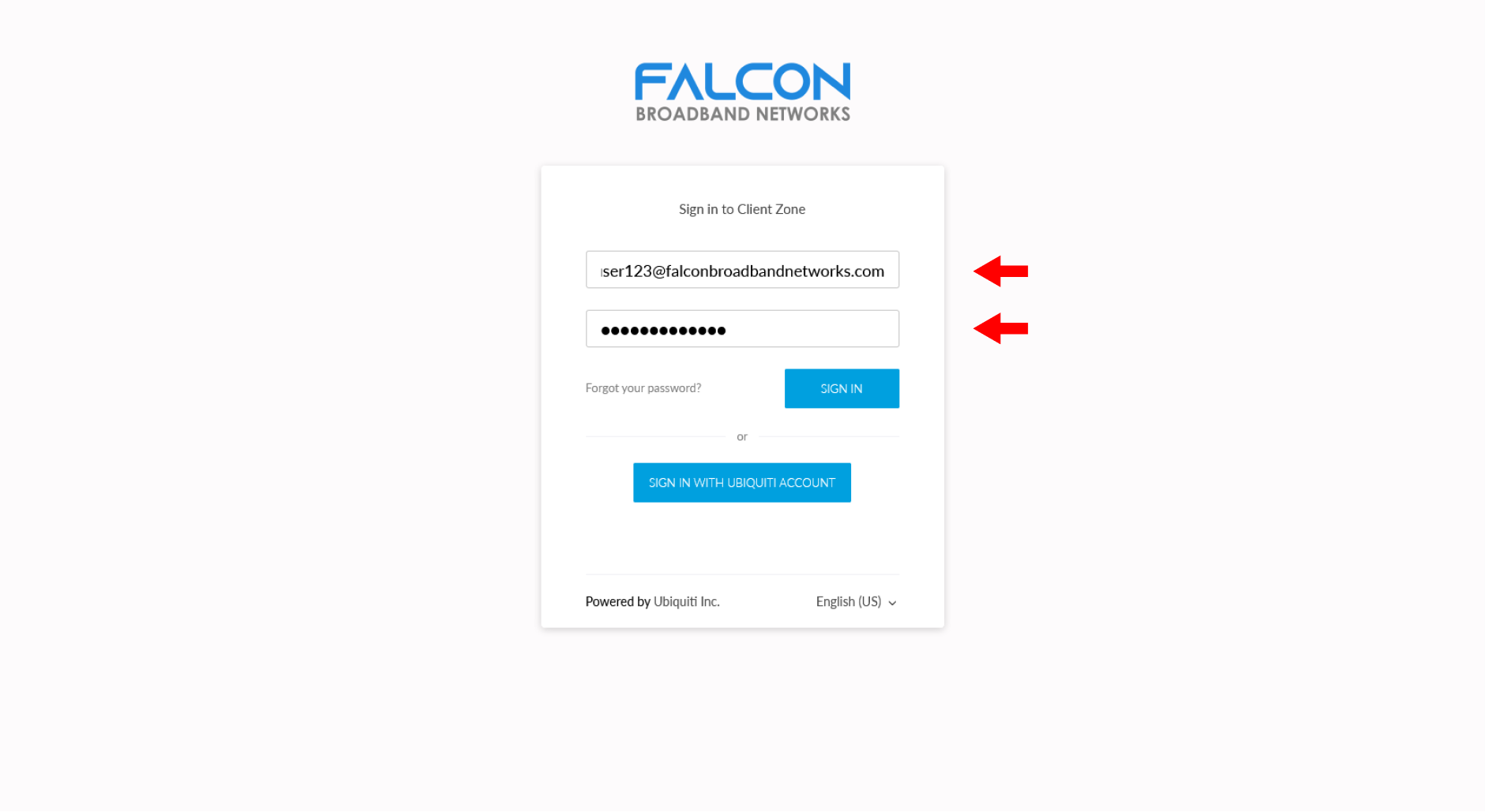
Enter Username and Password and click "Sign in"
Step 3
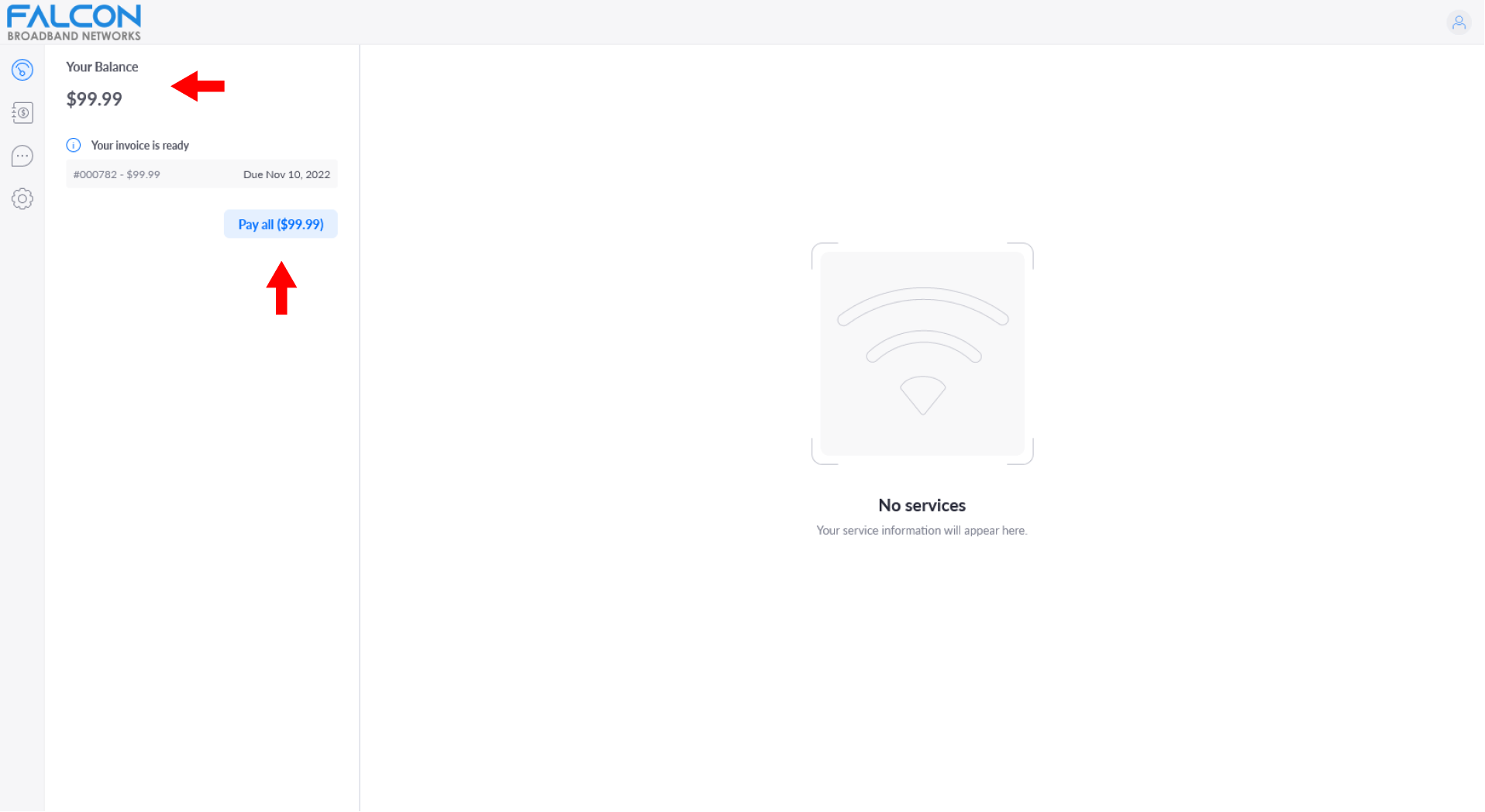
Your total balance due is on the top left corner with the due date under it. Click on the blue button with your balance due in order to make the payment.
Step 4
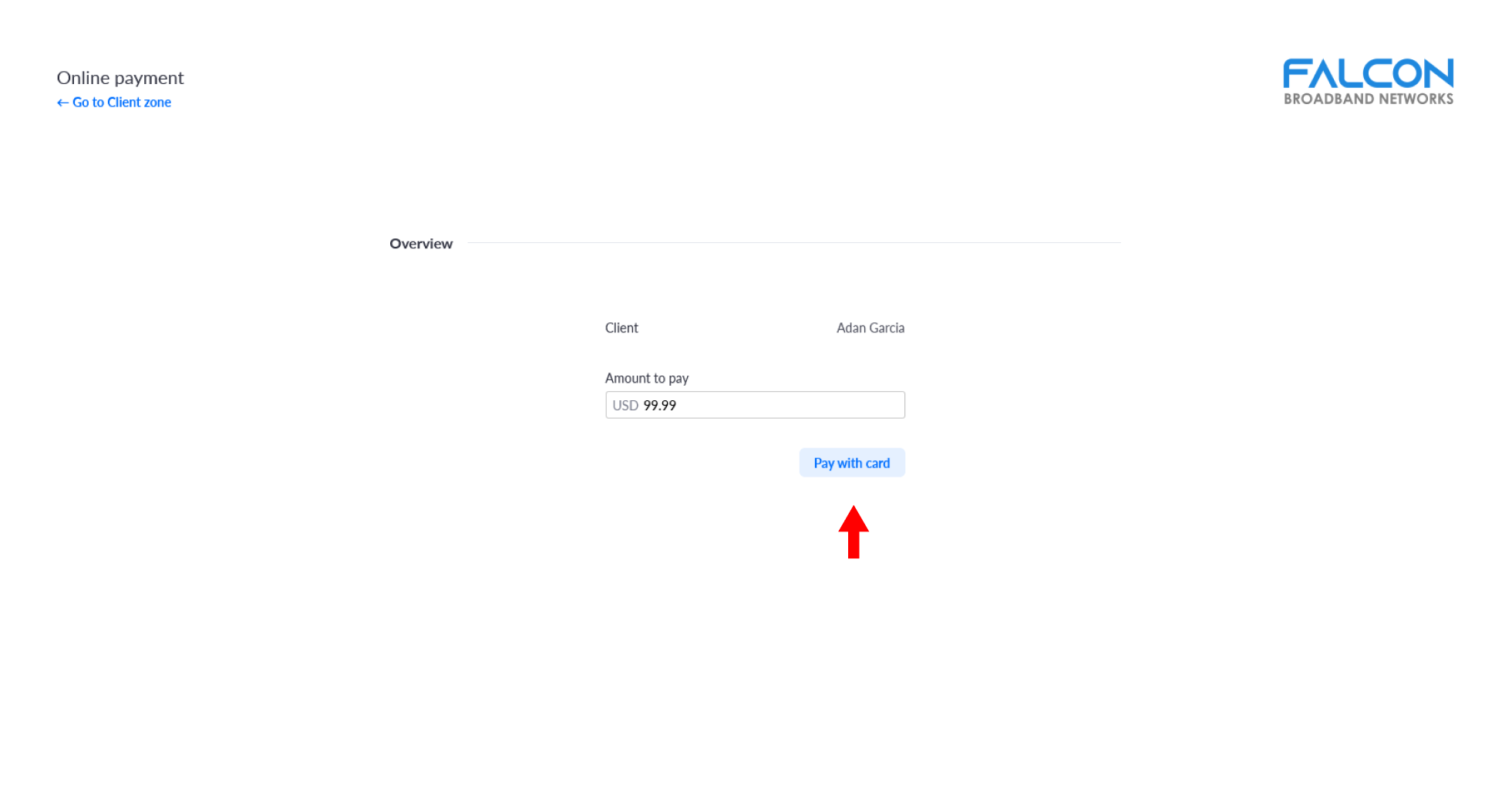
Click "Pay with card" to begin submitting debit/credit card information.
Step 5
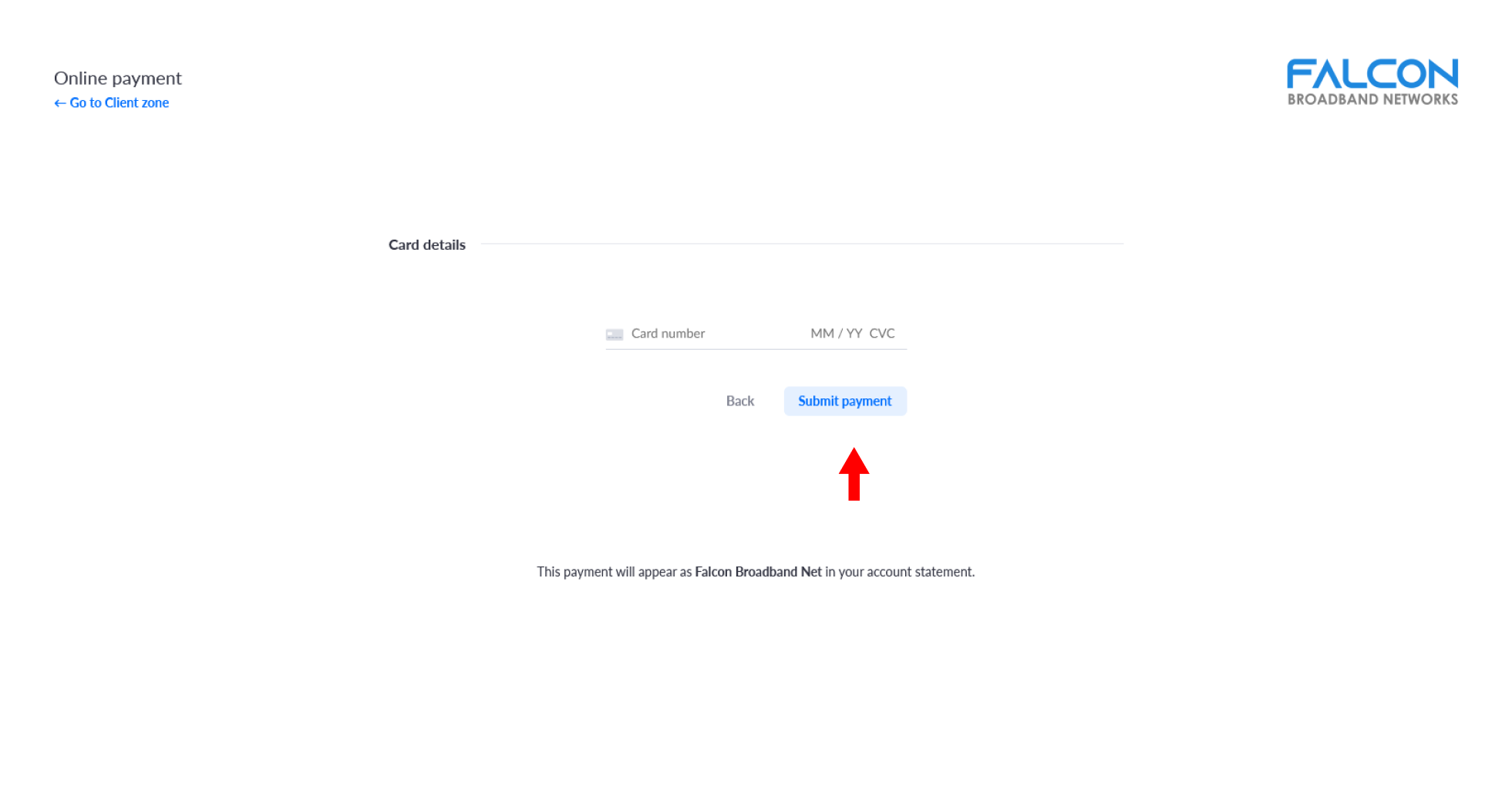
Enter debit/credit card information and click the "Submit payment" button.